
How to make a business website on your phone (no laptop needed)
You don't need a laptop to get your business online. Here are the three ways to build a website from your phone, what each is good for, and the fastest way to get a real site live today.
Yes, you can build a real business website using only your phone. You don't need a laptop, a designer, or any technical skills.
There are three ways to do it. Which one is right depends on how much time you have and how much you want to fiddle with a small screen.
Option 1: A website builder app
Builders like Wix and Jimdo have phone apps where you pick a template, then change the text, photos, and buttons yourself.
- Good for: people who enjoy designing and have a few evenings to spare.
- The catch: these editors were designed for big screens. Dragging boxes around, fixing layouts, and choosing between hundreds of options on a 6-inch screen gets frustrating fast.
Option 2: A free Google Business Profile
A Google Business Profile is the listing that shows up on Google Search and Maps with your hours, phone number, photos, and reviews. You can set it up from your phone for free, and every local business should have one.
- Good for: showing up when people search for your business or look for it on Google Maps.
- The catch: it isn't a website. You can't explain your services properly, show a full price list or gallery, or share one link that looks like your own. It works best alongside a website, with each linking to the other.
Option 3: Build it in a chat
The newest option skips the editor completely. You describe your business in a chat, and AI designs and publishes the website for you. On Clawfront, that chat happens in WhatsApp, the app you already use for your customers.
- Good for: busy owners who want a professional site today and don't want to learn software.
- The catch: you describe what you want instead of placing every pixel yourself. If you love designing, a builder app gives you more hands-on control.
How to build your website on your phone with Clawfront
1. Get your details together
You don't need much. Have these ready in your phone:
- Your business name and what you do, in a sentence or two.
- Your services or products, with prices if you're happy to share them.
- Where you work: your address, or the areas you cover.
- Your hours, and the WhatsApp number customers should use.
- A few photos of your work, products, or space. Phone photos are fine.
Not sure what matters most? Here's what a small business website needs.
2. Send a WhatsApp message
Message Clawfront and describe your business, typed or as a voice note. Send your photos in the same chat. That's the whole brief.
3. Get your live link
The AI designs and publishes your site, usually within minutes, and sends you the link. Here's a real build, from first message to live site:
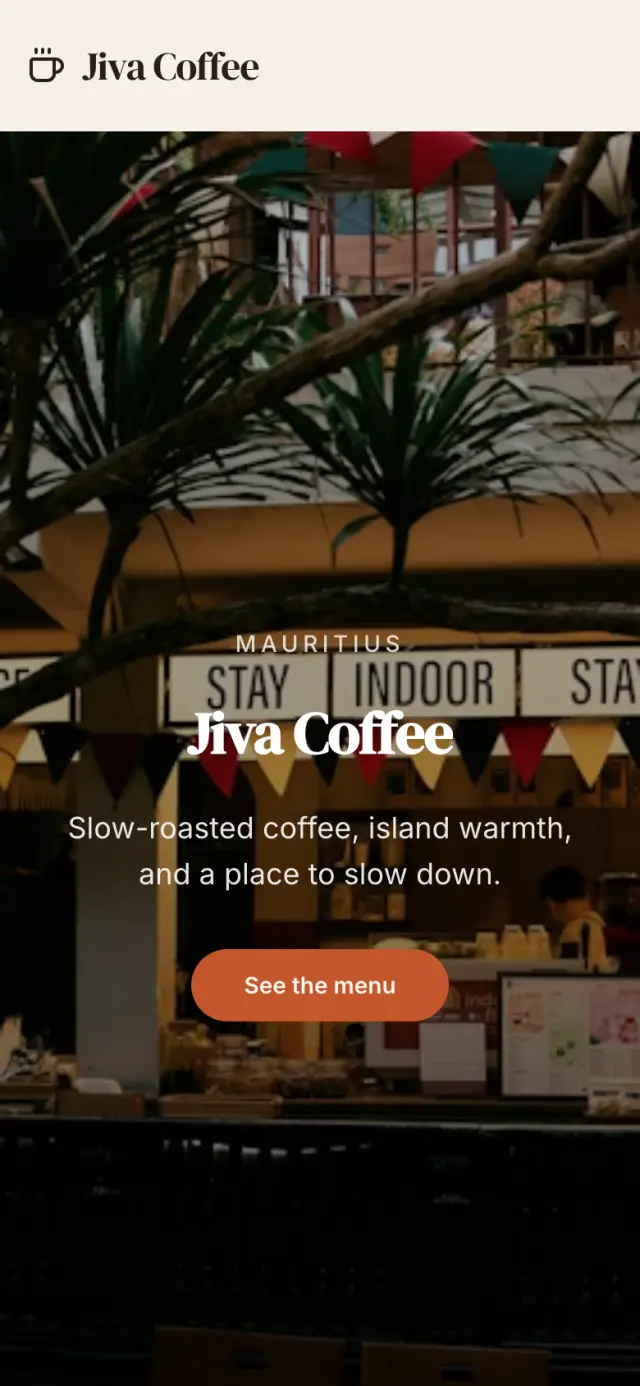
The finished site, two minutes later
4. Change anything by sending a message
Want different colours, new prices, or more photos? Reply in the same chat, like "make it feel more premium" or "add my Saturday hours". There's no dashboard to log into, ever.
Real businesses built this way
These sites were all built over WhatsApp:
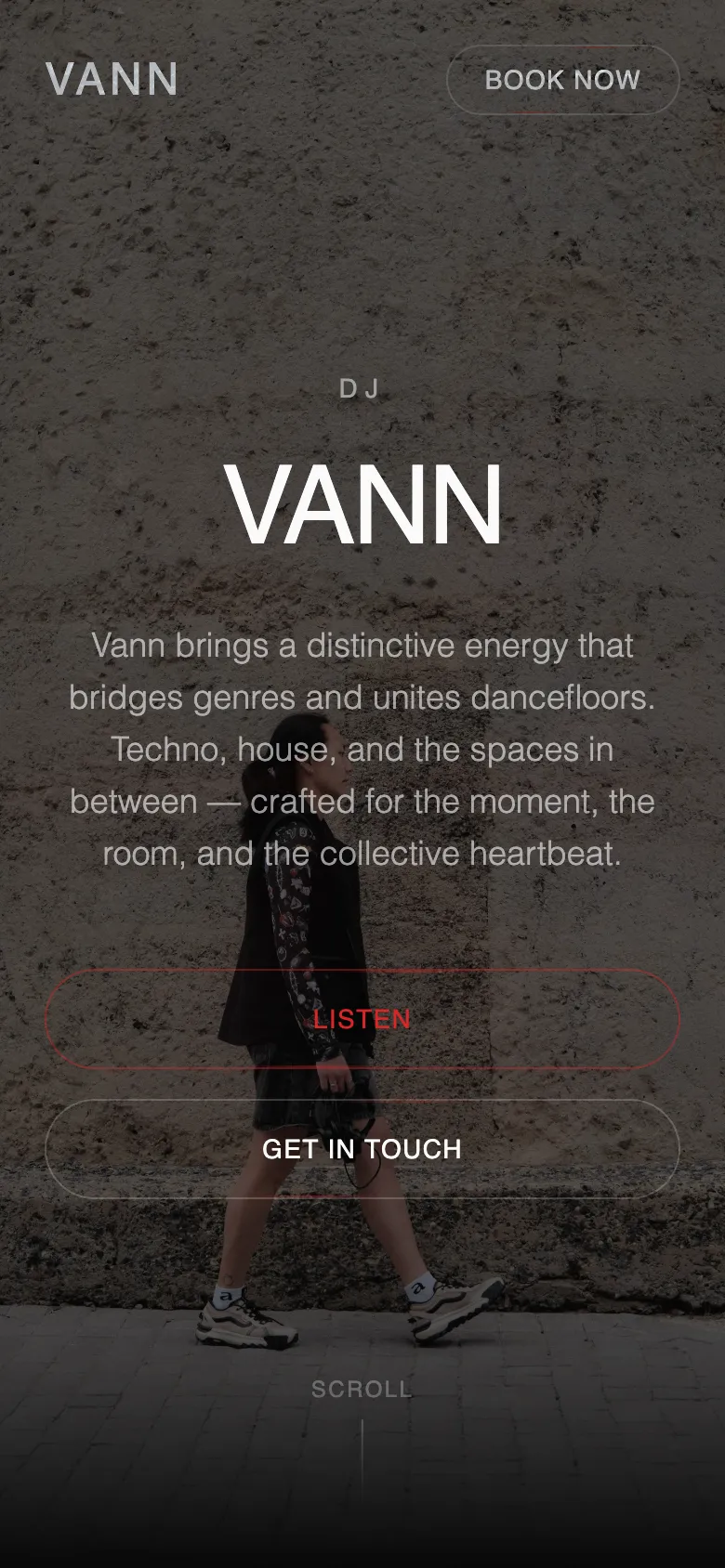
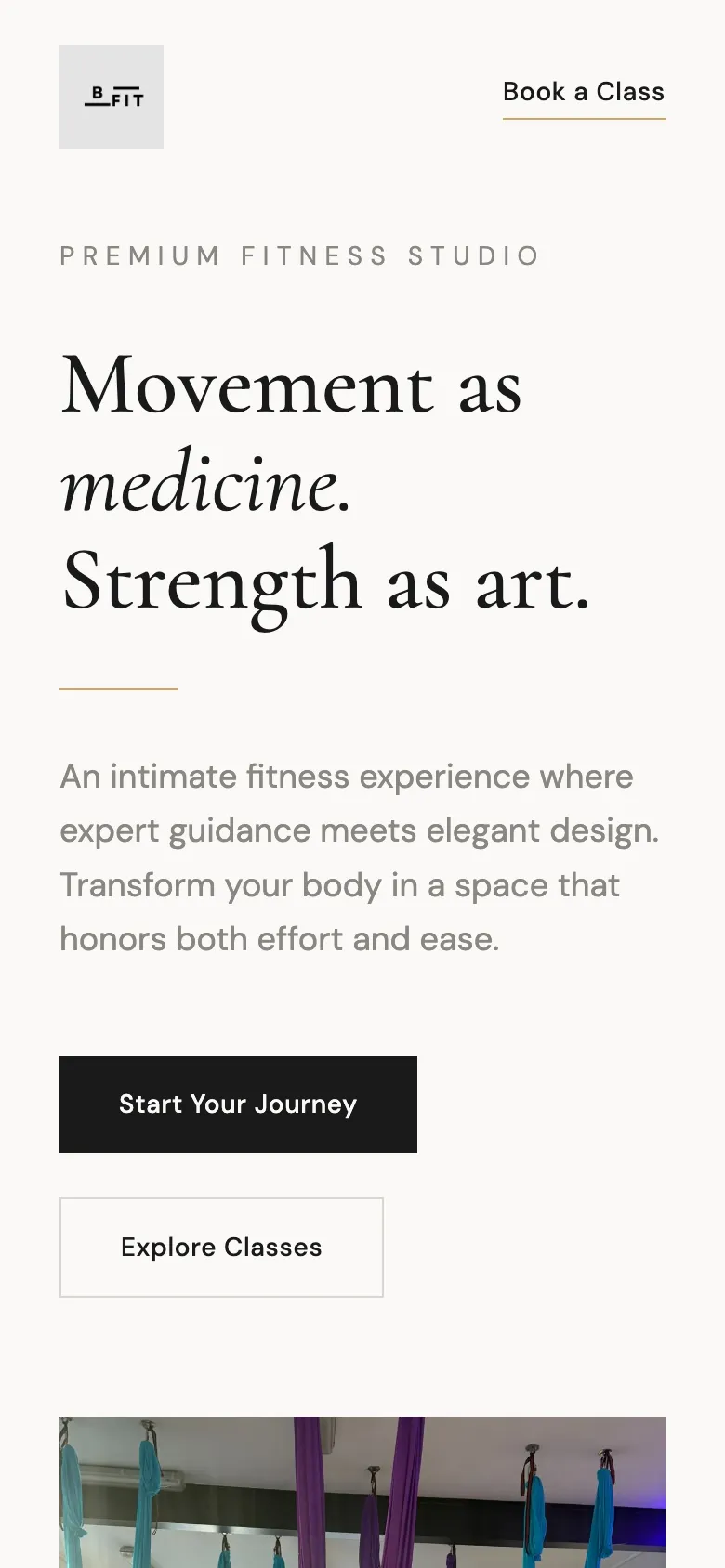

B Fit shared her new site in a local community group and got 5 new class signups almost straight away. Vann DJ went from Instagram-only to a proper booking page that she keeps up to date over WhatsApp.
After your site is live
A website only helps if people see it. Put your link everywhere your customers already look:
- Your WhatsApp Business profile. There's a website field built in. Here's how WhatsApp and a website work together.
- Your Google Business Profile, so people who find you on Google or Maps can see more.
- Your Instagram, TikTok, and Facebook bios.
- Your WhatsApp status, community groups, flyers, and business cards.
See examples for DJs, fitness trainers, nail and beauty, restaurants, trades and services, and side hustles. It's free for 7 days, then $4.99/month.
Frequently asked questions
Can I make a business website on my phone?
Yes. You can use a website builder app, set up a free Google Business Profile, or build a site by chatting with an AI builder like Clawfront over WhatsApp. None of them need a laptop.
Can I make a website on my phone for free?
A Google Business Profile is free, and some builder apps have free plans with their branding and a long web address. Clawfront is free for 7 days, then $4.99/month, including hosting and a yourname.clawfront.io address with SSL.
How long does it take to make a website on a phone?
With a drag-and-drop app it can take a few evenings. With Clawfront, most sites are live within about 5 minutes of your first message, and you can keep improving them afterwards.
Can I update my website from my phone later?
Yes. With Clawfront you send a WhatsApp message like "change my prices" or "add these photos" and the site is updated. No logins or dashboards.
Do I need my own domain name?
No. Every Clawfront site gets a free yourname.clawfront.io address with SSL. You can connect your own domain later if you want one.
Keep reading
How to get your business on Google (from your phone)
When people search for what you do, you want to show up. Here's how to get your business on Google Search and Maps for free, step by step, using just your phone.
Do you need a website if you have Instagram?
Instagram is great for showing your work to people who follow you. A website is what new customers find on Google and what makes you look established. Here's when you need both.
Link in bio vs a real website: which does your business need?
Link-in-bio pages like Linktree are free and quick. But a page of buttons isn't a website. Here's what each is good for, and when your business needs more than a list of links.
Ready to get your business online?
One WhatsApp message. Professional website. Live in 5 minutes.
Start on WhatsAppFree to try · No credit card · Live in 5 minutes